
メインコンテンツへスキップ

概要

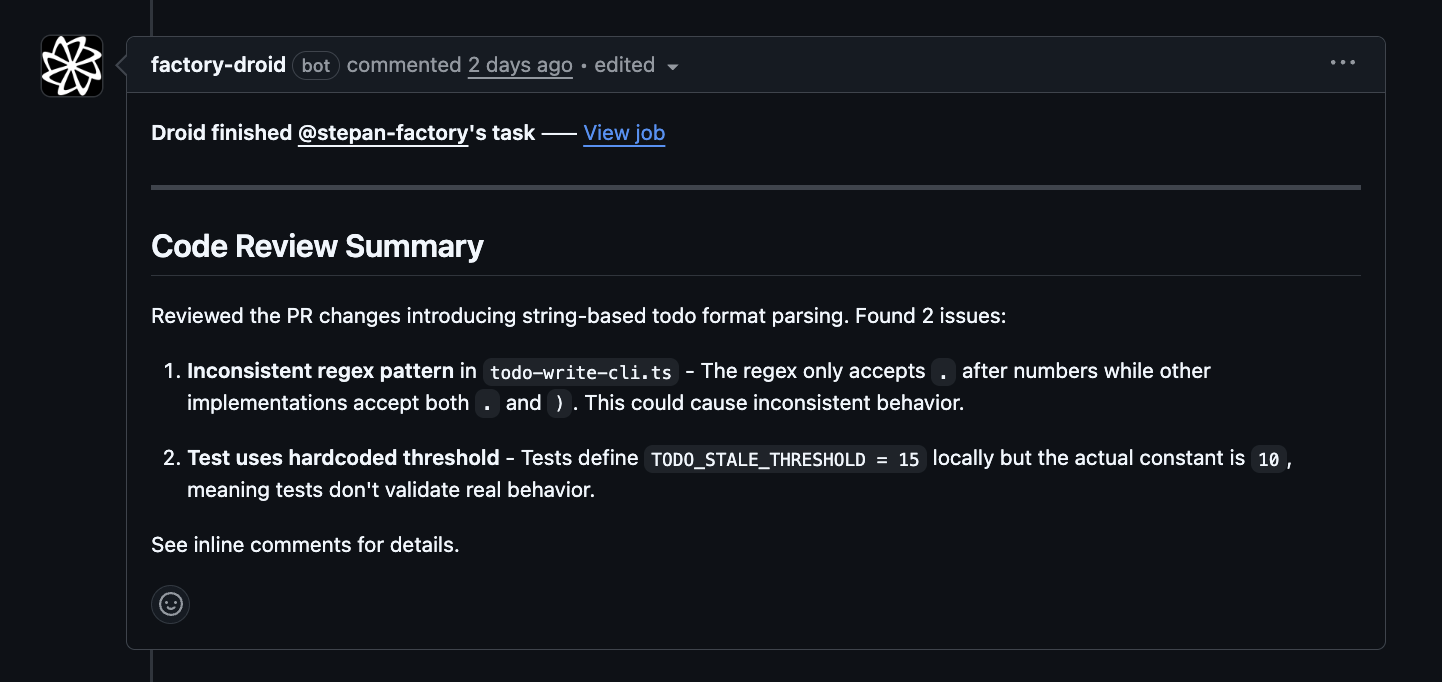
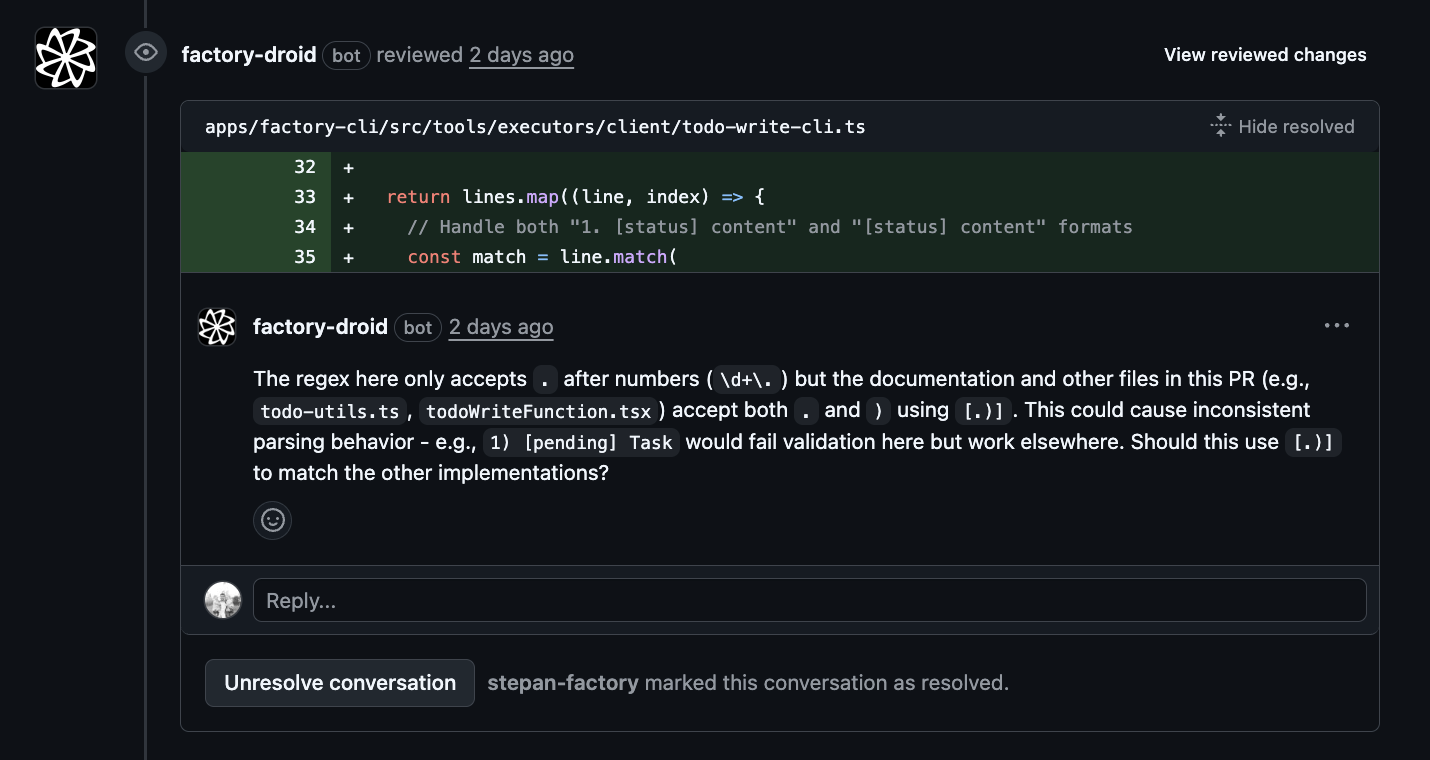
/install-github-app コマンドは、Factory GitHub Appのインストールと GitHub Actions ワークフローの設定を行うためのガイド付きワークフローを提供します。これにより、DroidはissueとPRコメント内の@droidメンションに応答し、オプションで新しいプルリクエストに対して自動コードレビューを提供できるようになります。 /install-github-app を実行すると、droidは前提条件の確認、リポジトリの選択、GitHub Appのインストール、そしてプルリクエストを通じたワークフローファイルの作成をガイドします。

クイックスタート

1

Start the installation flow

In an interactive droid session, type:
/install-github-app
2

Pass preflight checks

Droid verifies that you have:
  • GitHub CLI (gh) installed
  • Authenticated with GitHub (gh auth login)
  • Required OAuth scopes (repo, read:org, workflow)
3

Select a repository

Choose from two options:
  • Use current repository - Auto-detected from your git remote
  • Enter a different repository - Type owner/repo or a GitHub URL
4

Install the GitHub App

Your browser opens to install the Factory Droid GitHub App. Grant access to the selected repository.
5

Select workflows

Choose which workflows to enable:
  • @Droid - Respond to @droid mentions in issues and PR comments
  • Droid Review - Automated code review on new PRs
6

Create the PR

Droid creates a branch with workflow files and opens a pull request for you to review and merge.

前提条件

/install-github-app を実行する前に、GitHub CLIがインストールされ、認証されていることを確認してください。

GitHub CLIのインストール

brew install gh

GitHubで認証

gh auth login

必要なスコープの確認

CLIには reporead:orgworkflow スコープが必要です。不足している場合は、認証を更新してください:
gh auth refresh -s repo,read:org,workflow

利用可能なワークフロー

@Droid ワークフロー

以下の場所で @droid をタグ付けした際にDroidが応答できるようにします:
  • issueコメント
  • プルリクエストコメント
  • プルリクエストレビュー
  • issueの説明とタイトル
トリガー:
  • issue_comment - コメントに@droidが含まれている場合
  • pull_request_review_comment - PRレビューコメントに@droidが含まれている場合
  • pull_request_review - PRレビュー本文に@droidが含まれている場合
  • issues - issue本文またはタイトルに@droidが含まれている場合
使用例:
  • issueで説明された機能の実装をDroidに依頼
  • PRコメントでコード変更を要求
  • レビューでコードの理解についてサポートを得る

Droid Review ワークフロー

新しいプルリクエストに対して自動コードレビューを提供します。 トリガー:
  • pull_request - PRがオープン、再オープン、またはレビュー準備完了としてマークされた場合
使用例:
  • すべてのPRに対する自動初回レビュー
  • 人間のレビュー前に一般的な問題をキャッチ
  • チーム全体での一貫したレビューカバレッジ

インストール後のセットアップ手順

/install-github-app ワークフローの完了後、以下を行う必要があります:
1

Review the pull request

A PR has been created in your repository with the workflow files. Review the changes.
2

Generate a Factory API key

Go to https://app.factory.ai/settings/api-keys and create a new API key.
3

Add the secret to GitHub

In your repository settings, go to Settings > Secrets and variables > Actions and add a new repository secret:
  • Name: FACTORY_API_KEY
  • Value: Your generated API key
4

Merge the PR

Once the secret is configured, merge the workflow PR to enable Droid.

権限

リポジトリ管理者権限

最もスムーズなセットアップのために、リポジトリへの管理者アクセス権を持っている必要があります。管理者権限を持っていない場合、警告が表示されますが、続行は可能です。以下の作業にリポジトリ管理者が必要になる場合があります:
  • GitHub Appインストールの承認
  • FACTORY_API_KEY シークレットの追加
  • ワークフローPRのマージ

GitHub App権限

Factory Droid GitHub Appには以下の権限が必要です:
  • Contents: 読み取りと書き込み(ワークフローファイルのプッシュとコード変更のため)
  • Pull requests: 読み取りと書き込み(PRの作成とレビューの投稿のため)
  • Issues: 読み取りと書き込み(issueコメントへの応答のため)
  • Actions: 読み取り(ワークフロー実行の監視のため)

ヒントとベストプラクティス

  • Start with @Droid only if you want manual control over when Droid participates
  • Enable both for full automation with code review on every PR
  • Droid Review alone if you only want automated reviews without @droid mentions
ErrorSolution
GitHub CLI not installedInstall gh using the commands above
Not logged inRun gh auth login
Missing permissionsRun gh auth refresh -s repo,read:org,workflow
API access errorCheck your internet connection and run gh auth status
Run /install-github-app separately for each repository you want to configure. The flow automatically detects the current repository from your git remote.

使用例

cd my-project
droid

> /install-github-app
ガイドフローの完了後、Droidはワークフローファイルを含むPRを作成します。生成されたDroid Reviewワークフローは以下のようになります:
name: Droid Auto Review

on:
  pull_request:
    types: [opened, ready_for_review, reopened]

concurrency:
  group: ${{ github.workflow }}-${{ github.event.pull_request.number || github.ref }}
  cancel-in-progress: true

jobs:
  droid-review:
    if: github.event.pull_request.draft == false
    runs-on: ubuntu-latest
    permissions:
      contents: write
      pull-requests: write
      issues: write
      id-token: write
      actions: read

    steps:
      - name: Checkout repository
        uses: actions/checkout@v5
        with:
          fetch-depth: 1

      - name: Run Droid Auto Review
        uses: Factory-AI/droid-action@v3
        with:
          factory_api_key: ${{ secrets.FACTORY_API_KEY }}
          automatic_review: true
インストール後にワークフローをカスタマイズするには、Automated Code Review guide を参照してください。

関連項目