Automated Code Review
Set up automated pull request and merge request reviews with Droid
Set up automated code review for GitHub or GitLab repositories. Droid analyzes pull requests and merge requests, identifies issues, and posts feedback as inline comments. For GitHub repositories, the setup flow checks the Factory Droid GitHub App installation as part of configuring review automation.
Both platforms run on Droid Action, maintained at Factory-AI/droid-action. The GitHub Action declares its inputs in action.yml. The GitLab CI/CD component declares its own in templates/droid-review.yml, and docs/gitlab-setup.md covers the include line GitLab projects need.
This is the CI/CD counterpart to Local Code Review. Use the /review command for on-demand reviews of local changes before you push; use the Droid Review workflow here to review pull requests automatically in GitHub Actions or GitLab CI.
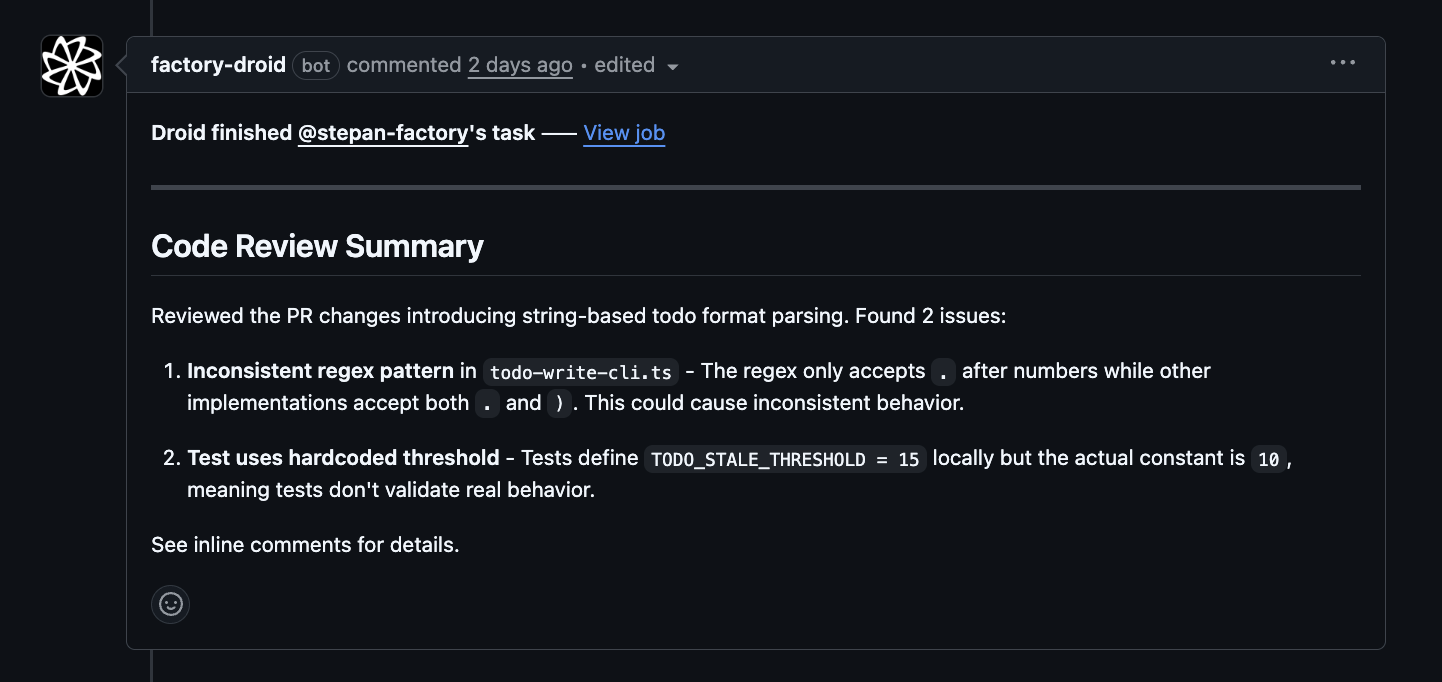
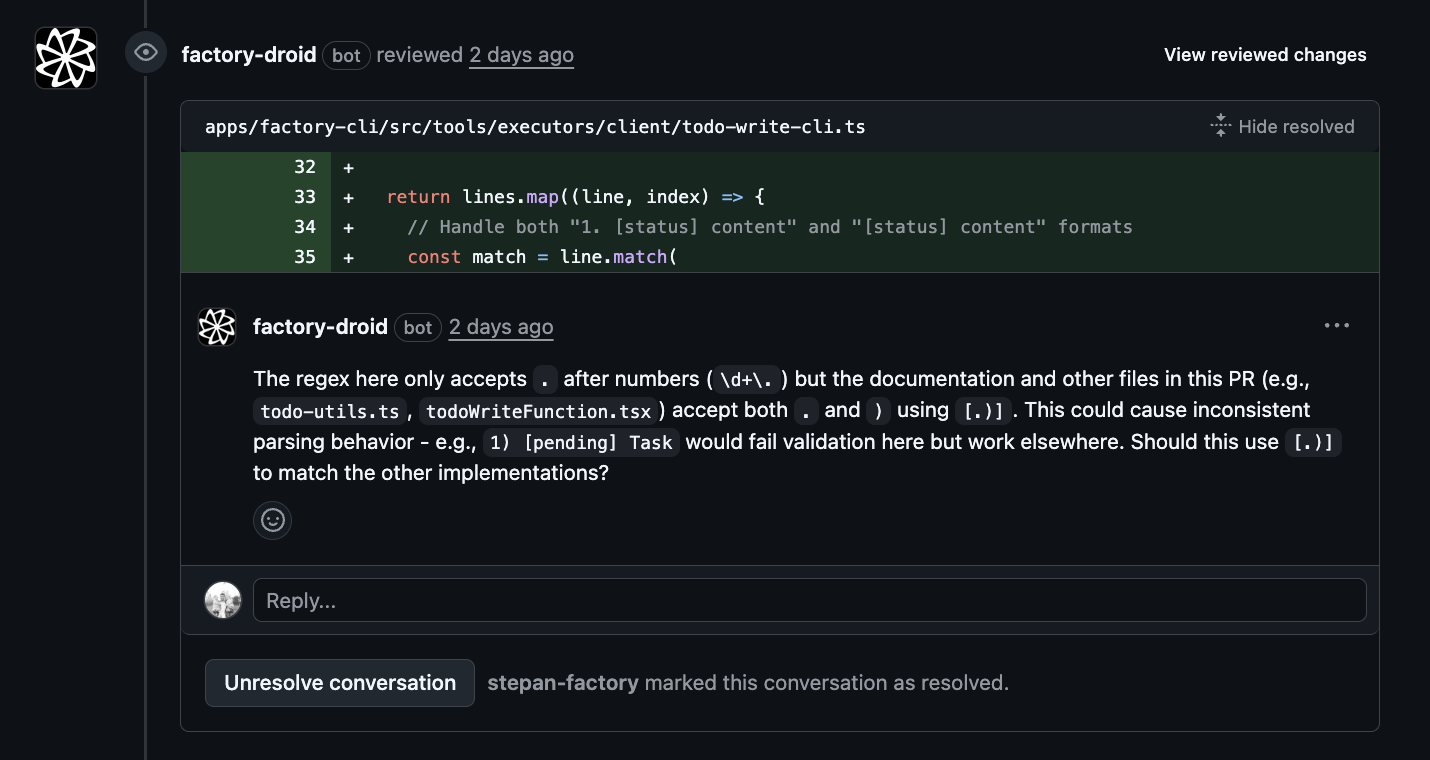
Setup
Use the /install-code-review command to set up automated code review for GitHub or GitLab:
Start Droid:
droidThen enter the setup command:
> /install-code-reviewThe guided flow will:
- 1Detect your SCM platform (GitHub or GitLab)
- 2Verify prerequisites (CLI tools, permissions)
- 3Walk you through review configuration (depth, security, triggers)
- 4Create a PR/MR with the workflow files
To wire this up by hand on GitHub, copy droid.yml (on-demand @droid commands) and droid-review.yml (automatic reviews) from .github/workflows/ in the action repository. On GitLab, add factory/droid-review.yml plus one include line in .gitlab-ci.yml, both shown in the repository's gitlab/examples/.
How it works
Once enabled, the Droid Review workflow:
- 1Triggers on pull request events (opened, synchronize, reopened, ready for review)
- 2Skips draft PRs to avoid noise during development
- 3Fetches the PR diff and existing comments
- 4Analyzes code changes for bugs, security issues, and correctness problems
- 5Posts inline comments on problematic lines
- 6Submits an approval when no issues are found
Authentication
Automated review needs two separate kinds of access: permission to run Droid, and permission to post on your pull requests. You set them up independently.
Factory API key (run Droid)
Droid runs using your Factory API key. Create one in the Factory API keys settings, then add it to your repository or organization as a secret named FACTORY_API_KEY. The workflow passes it in like this:
- uses: Factory-AI/droid-action@main
  with:
    factory_api_key: ${{ secrets.FACTORY_API_KEY }}
This is required for every run.
GitHub access (post reviews)
To leave comments and approvals on your PRs, Droid needs a GitHub token. There are two ways to provide one:
-
Factory Droid GitHub App (default, recommended). If you don't supply a token, the action securely requests one for the installed Factory Droid GitHub App. For most teams this is all you need: install the app on your repositories from your organization settings and you're done. It requires the
id-token: writepermission so the action can request the token:YAMLpermissions: contents: write pull-requests: write issues: write id-token: write # required for GitHub App auth -
Your own token (override). If you'd rather use a personal access token or your own GitHub App, for example on GitHub Enterprise or to control which account posts comments, pass it as
github_token. When set, Droid uses it directly and skips the app. The token needs write access to pull requests and repository contents.YAML- uses: Factory-AI/droid-action@main with: factory_api_key: ${{ secrets.FACTORY_API_KEY }} github_token: ${{ secrets.MY_GITHUB_TOKEN }}
On GitLab, the same two pieces apply: set FACTORY_API_KEY and GITLAB_TOKEN as CI/CD variables. The /install-code-review flow configures both for you.
For the security architecture behind the GitHub App, see Securing the GitHub Action and CI.
Review depth
The review_depth input controls the thoroughness and cost of each review. You choose the depth during /install-code-review setup, or set it directly in your workflow.
deep(default): Thorough analysis with higher reasoning effort. Catches more subtle bugs but costs more per review. Best for production code and security-sensitive repos.shallow: Faster, more cost-effective reviews that cover surface-level issues. Good for high-volume repos, draft PRs, or teams watching spend.
with:
  automatic_review: true
  review_depth: deep  # or shallow
You can also override the model or reasoning effort directly with review_model and reasoning_effort, which take precedence over the depth preset.
Security review
Security review is a dedicated workflow for STRIDE, OWASP, OWASP LLM Top 10, and supply-chain analysis. See Security Review for automatic PR security reviews, scheduled scans, and local full-codebase audits with the built-in security-review skill.
What Droid reviews
The automated reviewer focuses on clear bugs and issues:
- Dead/unreachable code
- Broken control flow (missing break, fallthrough bugs)
- Async/await mistakes
- Null/undefined dereferences
- Resource leaks
- SQL/XSS injection vulnerabilities
- Missing error handling
- Off-by-one errors
- Race conditions
It skips stylistic concerns, minor optimizations, and architectural opinions.
Customizing the workflow
After the workflow is created, you can customize it by editing .github/workflows/droid-review.yml in your repository.
Change the trigger conditions
Modify when reviews run:
on:
  pull_request:
    types: [opened, synchronize, reopened, ready_for_review]
    paths:
      - 'src/**'  # Only review changes in src/
      - '!**/*.test.ts'  # Skip test files
Custom review guidelines
Add repository-specific review guidelines by creating a .factory/skills/review-guidelines/SKILL.md file in your repo:
<!-- .factory/skills/review-guidelines/SKILL.md -->

Additional checks for this codebase:
- React hooks rules violations
- Missing TypeScript types on public APIs
- Prisma query performance issues
These guidelines are automatically picked up and injected into every review run. No workflow changes needed.
Change the model
Set review_model to any public model ID from Models. It overrides whichever model the review_depth preset would have chosen:
with:
  automatic_review: true
  review_model: claude-sonnet-4-6
  reasoning_effort: high
Skip certain PRs
Add conditions to skip reviews for specific cases:
jobs:
  code-review:
    # Skip bot PRs and PRs with [skip-review] in title
    if: |
      github.event.pull_request.draft == false &&
      !contains(github.event.pull_request.user.login, '[bot]') &&
      !contains(github.event.pull_request.title, '[skip-review]')
Limit comment count
Adjust the maximum number of comments in the prompt:
Guidelines:
- Submit at most 5 comments total, prioritizing the most critical issues
All workflow inputs
| Input | Default | Description |
|---|---|---|
automatic_review | false | Automatically review PRs without @droid review |
review_depth | deep | Review preset: deep (thorough) or shallow (fast) |
review_model | (from depth) | Override model for code review |
reasoning_effort | (from depth) | Override reasoning effort |
include_suggestions | true | Include code suggestion blocks in comments |
These defaults are the GitHub Action's. Security review inputs are documented in Security Review. The remaining inputs, including trigger phrases, bot allowlists, and debugging overrides, are declared in action.yml. The GitLab component declares its own set, with different defaults and extra inputs for organization-wide guidelines, in templates/droid-review.yml.
Related resources