> ## Documentation Index
> Fetch the complete documentation index at: https://docs.factory.ai/llms.txt
> Use this file to discover all available pages before exploring further.
# Welcome to Factory
> Choose the right Factory starting point, capability, and configuration docs for your workflow.
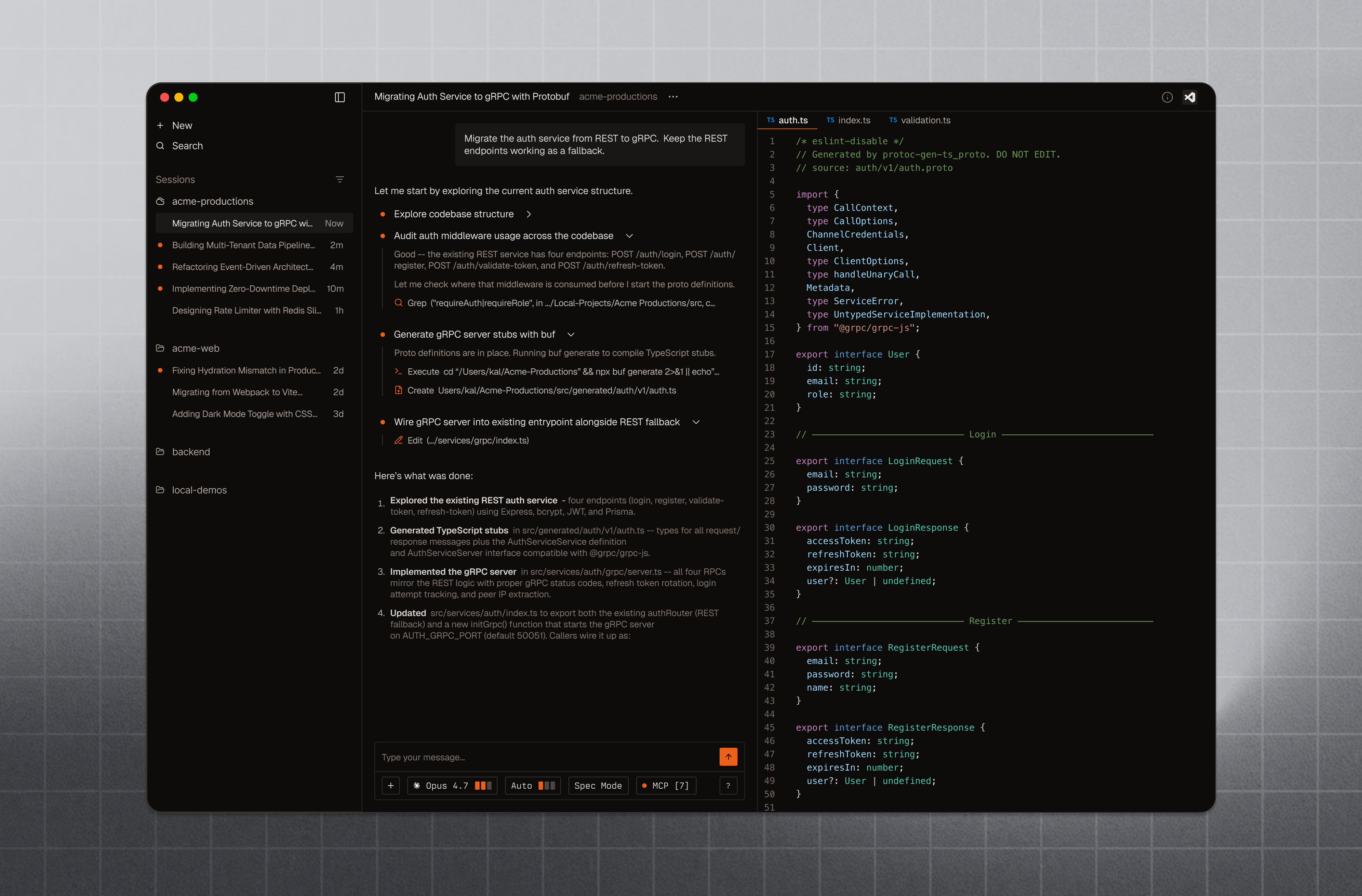 Factory is an AI-native software development platform that works everywhere you do. Use this page to pick the right starting point, then drill into the capability, configuration, and enterprise docs that match your workflow.
## Start with your surface
Run Droid in your terminal and get productive in minutes.
Download the Factory App and connect Droid to your local machine.
Run Droid non-interactively in CI/CD and automation workflows.
Deploy, govern, and observe Droid in high-security environments.
## Explore core capabilities
Plan and execute larger projects with structured multi-step workflows.
Review local code changes with `/review` workflows and reusable guidance.
Automate terminals, browsers, and desktop apps for QA and validation.
Measure repository maturity and track autonomy progress over time.
Connect persistent local or cloud machines for remote Droid work.
Spin up preconfigured cloud environments that match your development setup.
## Configure and extend Droid
Control models, tools, permissions, integrations, and defaults.
Teach Droid your repo conventions, workflows, and project context.
Add reusable capabilities that Droid can invoke on demand.
Connect external tools and services with Model Context Protocol.
Create specialized subagents with their own prompts, tools, and models.
Use your own provider keys, open-source models, or local model endpoints.
Enforce policies and automate setup, validation, and post-edit workflows.
Package and share commands, skills, and tools across your team.
## Connect Factory to your stack
Use Droid inside VS Code, JetBrains, Zed, and terminal-first editor workflows.
Connect repositories for automated PR and MR reviews.
Pull workspace context into Droid and keep work connected to your team.
Connect planning and issue-tracking context to development workflows.
## Guides, reference, and support
See practical workflows you can run right away in the Droid CLI.
Browse commands, flags, and operational details for Droid.
Stay current with new features, launches, and product improvements.
Get help from the Factory team or find the right support channel.
Factory is an AI-native software development platform that works everywhere you do. Use this page to pick the right starting point, then drill into the capability, configuration, and enterprise docs that match your workflow.
## Start with your surface
Run Droid in your terminal and get productive in minutes.
Download the Factory App and connect Droid to your local machine.
Run Droid non-interactively in CI/CD and automation workflows.
Deploy, govern, and observe Droid in high-security environments.
## Explore core capabilities
Plan and execute larger projects with structured multi-step workflows.
Review local code changes with `/review` workflows and reusable guidance.
Automate terminals, browsers, and desktop apps for QA and validation.
Measure repository maturity and track autonomy progress over time.
Connect persistent local or cloud machines for remote Droid work.
Spin up preconfigured cloud environments that match your development setup.
## Configure and extend Droid
Control models, tools, permissions, integrations, and defaults.
Teach Droid your repo conventions, workflows, and project context.
Add reusable capabilities that Droid can invoke on demand.
Connect external tools and services with Model Context Protocol.
Create specialized subagents with their own prompts, tools, and models.
Use your own provider keys, open-source models, or local model endpoints.
Enforce policies and automate setup, validation, and post-edit workflows.
Package and share commands, skills, and tools across your team.
## Connect Factory to your stack
Use Droid inside VS Code, JetBrains, Zed, and terminal-first editor workflows.
Connect repositories for automated PR and MR reviews.
Pull workspace context into Droid and keep work connected to your team.
Connect planning and issue-tracking context to development workflows.
## Guides, reference, and support
See practical workflows you can run right away in the Droid CLI.
Browse commands, flags, and operational details for Droid.
Stay current with new features, launches, and product improvements.
Get help from the Factory team or find the right support channel.